Execute Dynamics 365 OData actions as Dataverse actions using Virtual Entities
This post was written in September 2020 and last updated in February 2025. Dynamics 365 and Azure change quickly, so some steps, screenshots or links may be out of date.
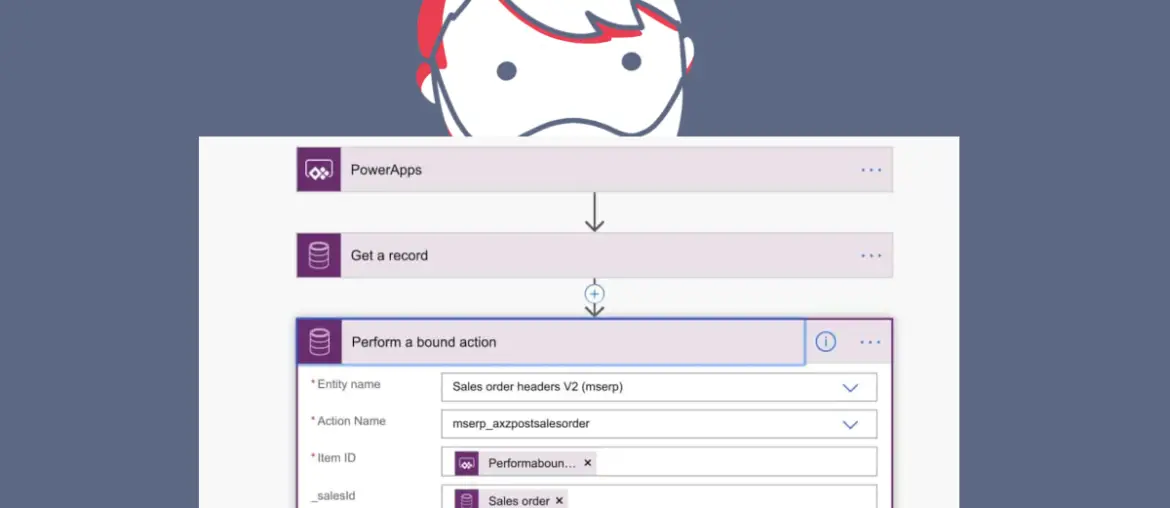
Since Dynamics 365 for Finance and Operations version 10.0.12 we’ve been able to use FnO (public) data entities as Dataverse Virtual Entities. This will allow us to create model-driven Power Apps for Finance and Operations entities without having to copy data between Finance and Operations and Dataverse. This opens a lot of scenarios and new ways of integrating MSDyn365FO with Customer Engagement.
If you want to learn more about setting up the Virtual Entities for FnO you can:
- Read the blog post about configuring Virtual Entities from Aurélien Clere where he describes all the steps and you’ll be able to find more information about Dataverse integrations with Finance and Operations.
- Watch this tech talk about Virtual Entities for Finance and Operations.
DataverseVirtual EntitiesLink to section: DataverseVirtual Entities
The DataverseVirtual Entities represent data from other systems inside the Common Data Service and support all of the CRUD operations. In our case, the Virtual Entities are a representation of the public data entities in FnO.
When we set up the FnO Virtual Entities on Dataversewe need to enable the ones we want to use, and once enabled they’ll appear as a Dataverse entity.
The difference between using Virtual Entities or Dual-Write is that the Virtual Entities don’t duplicate data. Instead, there’s a real-time web API that queries data to and from FnO’s data entities.
FnO data entity actionLink to section: FnO data entity action
Some FnO data entities have a special kind of methods that can be run in an OData call called OData actions. These methods need to be decorated with the SysOdataAction attribute and can be used in a Flow action:

FnO OData actions as Dataverse actionsLink to section: FnO OData actions as Dataverse actions
Dataverse actions are operations that can also create or update (or delete) records, like the FnO actions. In the image below we see both connectors for a FnO OData action and a Dataverseaction for the same entity:
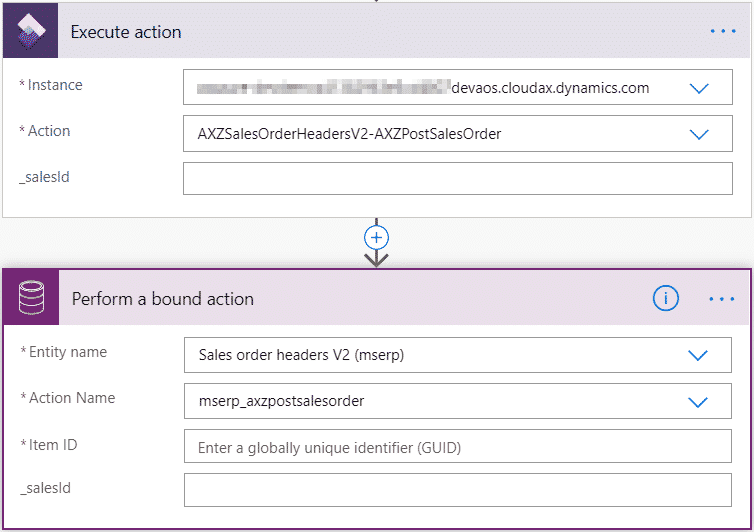
As you can see we’re calling the AXZPostSalesOrder action from the AXZSalesOrderHeadersV2 entity. This entity is a duplicate of the standard sales order header entity where I’ve created the following method:
[SysODataAction('AXZPostSalesOrder', false)]
	public static str postSalesorder(SalesId _salesId)
    {
        SalesFormLetter salesFormLetter;
        salesTable		salesTable;
        salesTable		= SalesTable::find(_salesId);
        salesFormLetter = SalesFormLetter::construct(DocumentStatus::Invoice);

		salesFormLetter.update(salesTable, systemDateGet(), SalesUpdate::All, AccountOrder::None, NoYes::No, NoYes::Yes);
        return CustInvoiceJour::findRecId(salesFormLetter.parmJournalRecord().RecId).InvoiceId;
    }
This action will just post the invoice of an open sales order, something that can be useful to do from CE or a Power App while visiting a customer. And thanks to the virtual entities we can call it with the Dataverse connector!
An exampleLink to section: An example
In the following example, I’m going to show how a Dynamics 365 FnO sales order is posted using a Dataverse action from Flow. Let’s take this sales order:
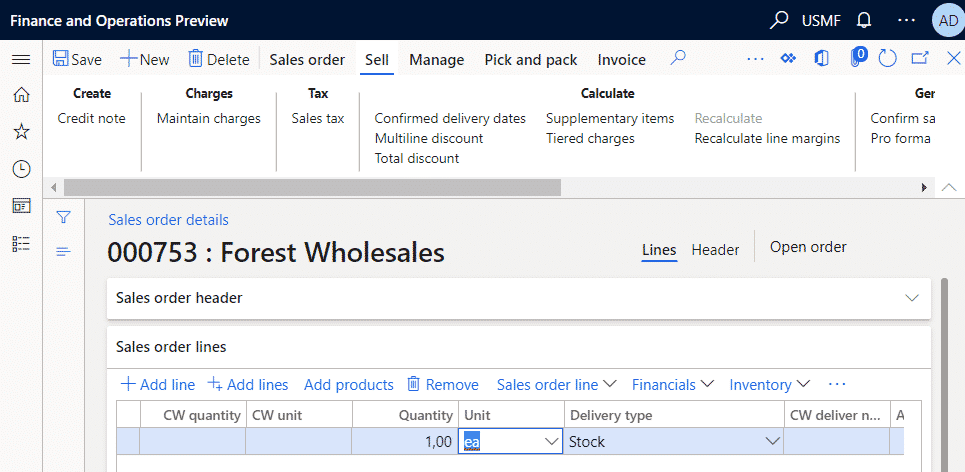
You can see it’s open. I’ve created a simple canvas app with a DataTable that shows all of USMF’s company sales orders using the Dataverse virtual entity:
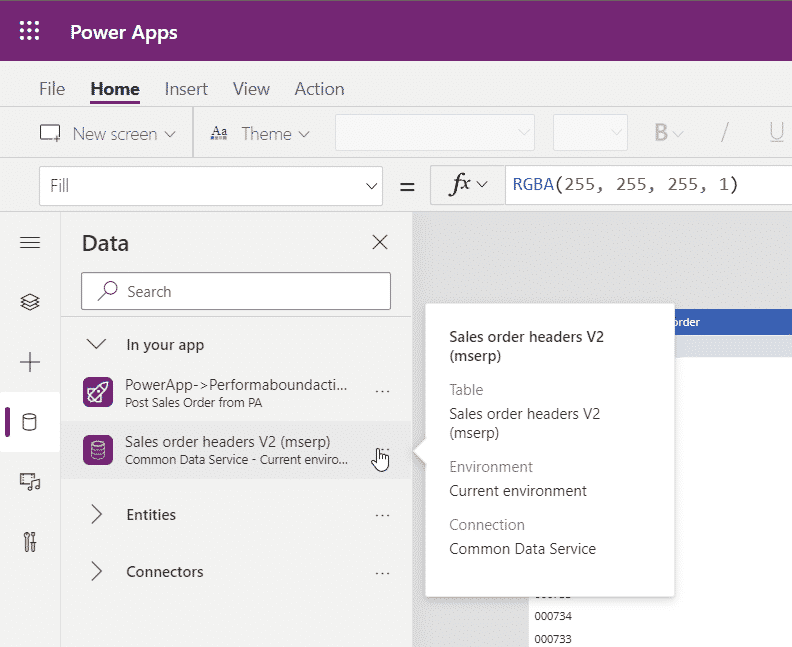
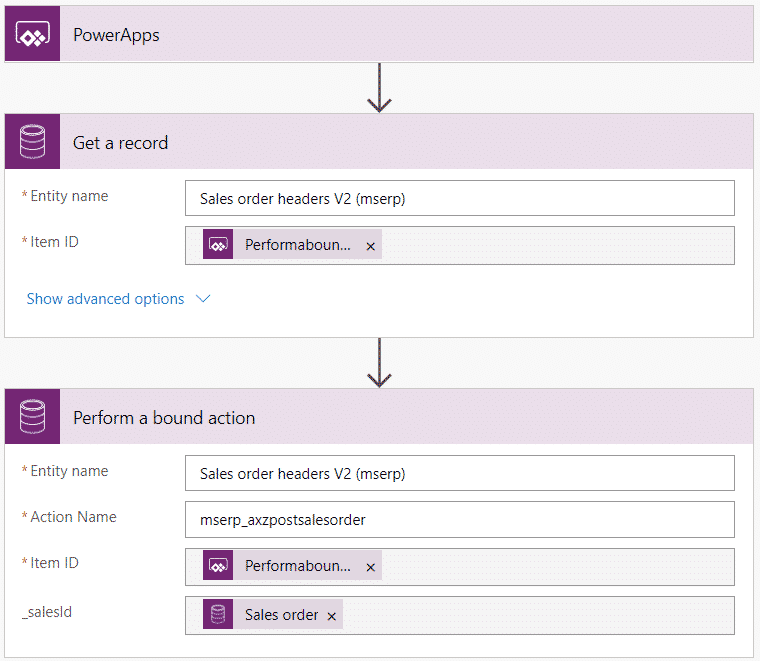
The app has a button that triggers a Flow which will get the record and call the action on the Dataverse Virtual Entity:
I select the sales order and post it using the button from the Power App:

We need to wait until the Flow ends…

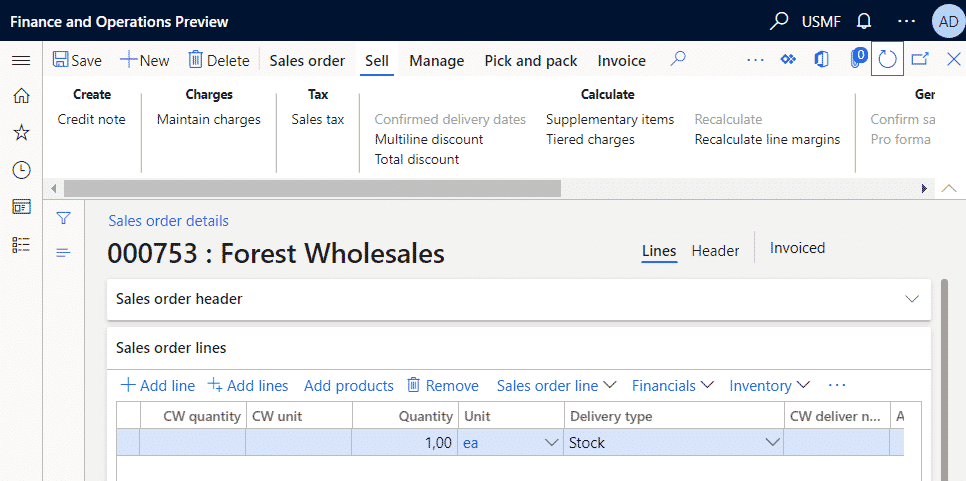
And when it’s done (with an additional retry, that’s the reason behind the orange check) we can go back to Dynamics 365 and see the sales order has been posted!
With the Virtual Entities we get a new tool to not only access data from Finance and Operations into Dataverse but also execute business processes. We’re getting more and more tools to integrate the ERP and CRM products with less effort and better results!



2 comments
I’ve tried making a odata action like your exampel, but it does not show up as a bound action.
I can see the entity in the lookup, but not the action.
Any ideas on where to enable this?
I’ve tried refreshing the enity and tried to remove and add it again to the dataverse, but still no luck.
If I just hardcode the actioname, I get an error:
Bound action ‘mserp_myAction’ is not found in the Organization or is not included in the Solution being imported
(I’m using the currenct Dataverse connector)
Is the virtual table that contains the action enabled? I haven’t tried that in a long time, I have to use it in the coming days, I hope it still works and it’s just a glitch in power automate, otherwise I’ll update the post.
Also, have you tried debugging the action? Seeing if a breakpoint is hit when the flow runs could help.
Comments are closed.