Build .NET in your pipeline
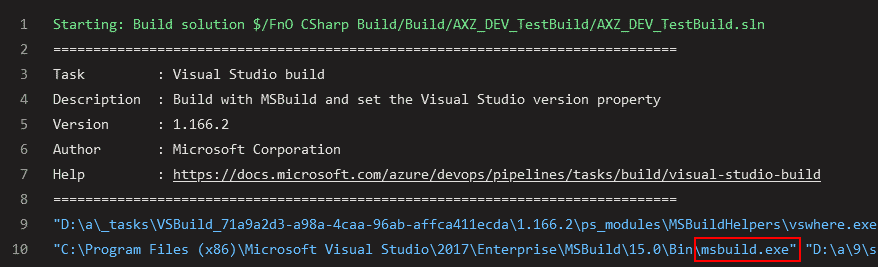
Note: what I show in this post is done using the Azure-hosted pipeline but it should also be possible to do it using a self-hosted agent (aka old build VM). The build step of the pipeline invokes msbuild.exe which can build .NET code. If we check the logs of the build step we will see it:
Remember that X++ is part of the .NET family after all… a second cousin or something like it.
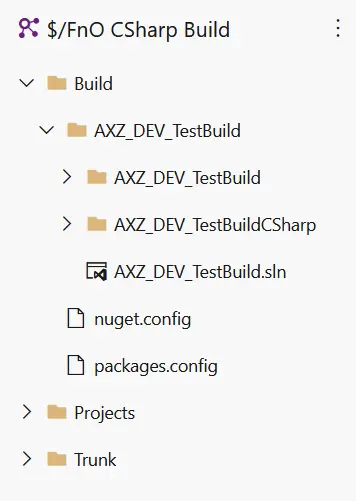
If you’ve read the blog post about Azure-hosted builds you must’ve seen I’m putting the solution that references all my models in a folder called Build at the root of my source control tree (left image). That’s just a personal preference that helps me keep the .config files and the solution I use to build all the models in a single, separate place. By using a solution and pointing the build process to use it I also keep control of what’s being built in a single place.