Configure your Git repository
This is an optional section, and you can (and should if you have more experience with Git than me) have a different folder structure.
What I usually do is have three folders with different purposes, as in the image:
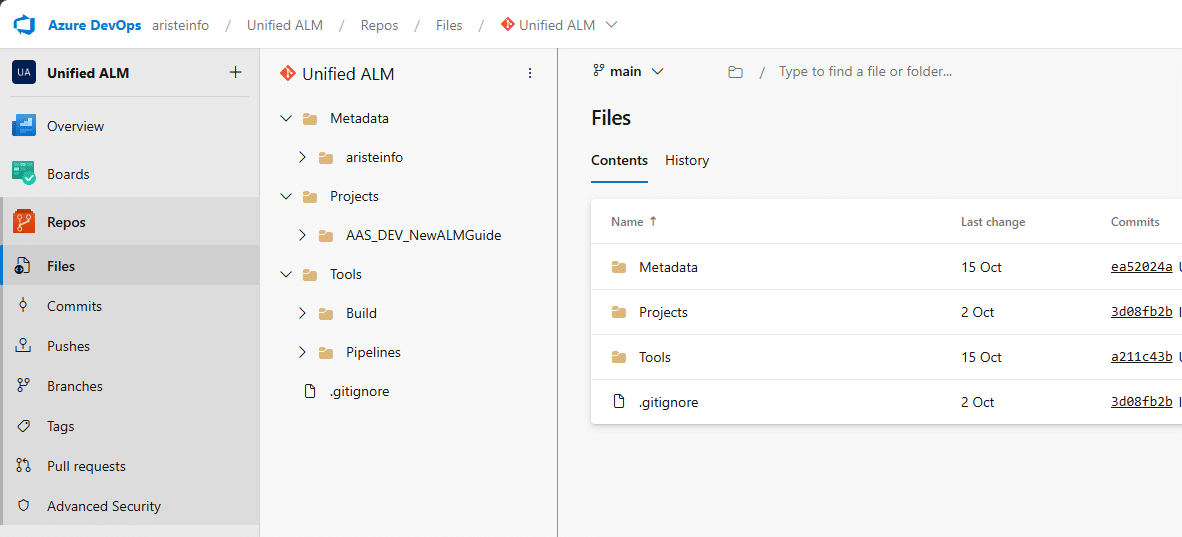
First, I have the Metadata folder. Here I have my custom code, including custom and extension models.
Then I have a Projects folder where I save the Visual Studio solutions and projects.
And finally, I have a Tools folder. Here I have:
- Build: this folder contains the nuget.config and packages.config files used for the build.
- Pipelines: contains the YAML files for the pipelines.
The content of the other sections is always based on this folder structure. If you use a different one, keep in mind you might have to change some things in the pipeline definitions, for example.